💻 Techtober Sale: Save 50% on Hostaway & Uplisting Plugins | Code: TECHTOBER | Offer Ends October 31st!


💻 Techtober Sale: Save 50% on Hostaway & Uplisting Plugins | Code: TECHTOBER | Offer Ends October 31st!


Are all your Contact Form 7 leads ending up in one massive, unorganized ActiveCampaign list?
When every subscriber is treated the same, engagement drops, unsubscribe rates rise, and your email marketing ROI suffers. Modern email marketing demands relevance—and relevance starts at the moment a user submits your form.
The Contact Form 7 Conditional Lists for ActiveCampaign (Pro) plugin transforms standard Contact Form 7 submissions into an intelligent lead-routing system. Based on user selections, form fields, or conditional logic, subscribers are automatically added to the right ActiveCampaign lists, ensuring every lead receives messaging that actually matches their intent.
Instead of relying on manual tagging, external automation tools, or custom code, this plugin brings advanced list segmentation directly into Contact Form 7. The result is a smarter, faster, and more controlled email marketing workflow—without complexity.
If you’re already using Contact Form 7 with ActiveCampaign, this plugin adds the missing layer of automation, precision, and scalability your campaigns need to perform at their best.
Sending the same message to every subscriber leads to lower engagement, poor conversions, and higher unsubscribe rates. Modern email marketing relies on relevance, intent, and timing.
With conditional list assignment, you can:
✅ Send highly targeted emails based on user intent
✅ Improve open rates and click-through rates
✅ Reduce unsubscribe and spam complaints
✅ Build smarter automation funnels
✅ Deliver the right message to the right audience automatically
This plugin ensures your leads are segmented at the moment they submit your form, not after.
The plugin integrates your Contact Form 7 forms with ActiveCampaign using a simple one-click connection.
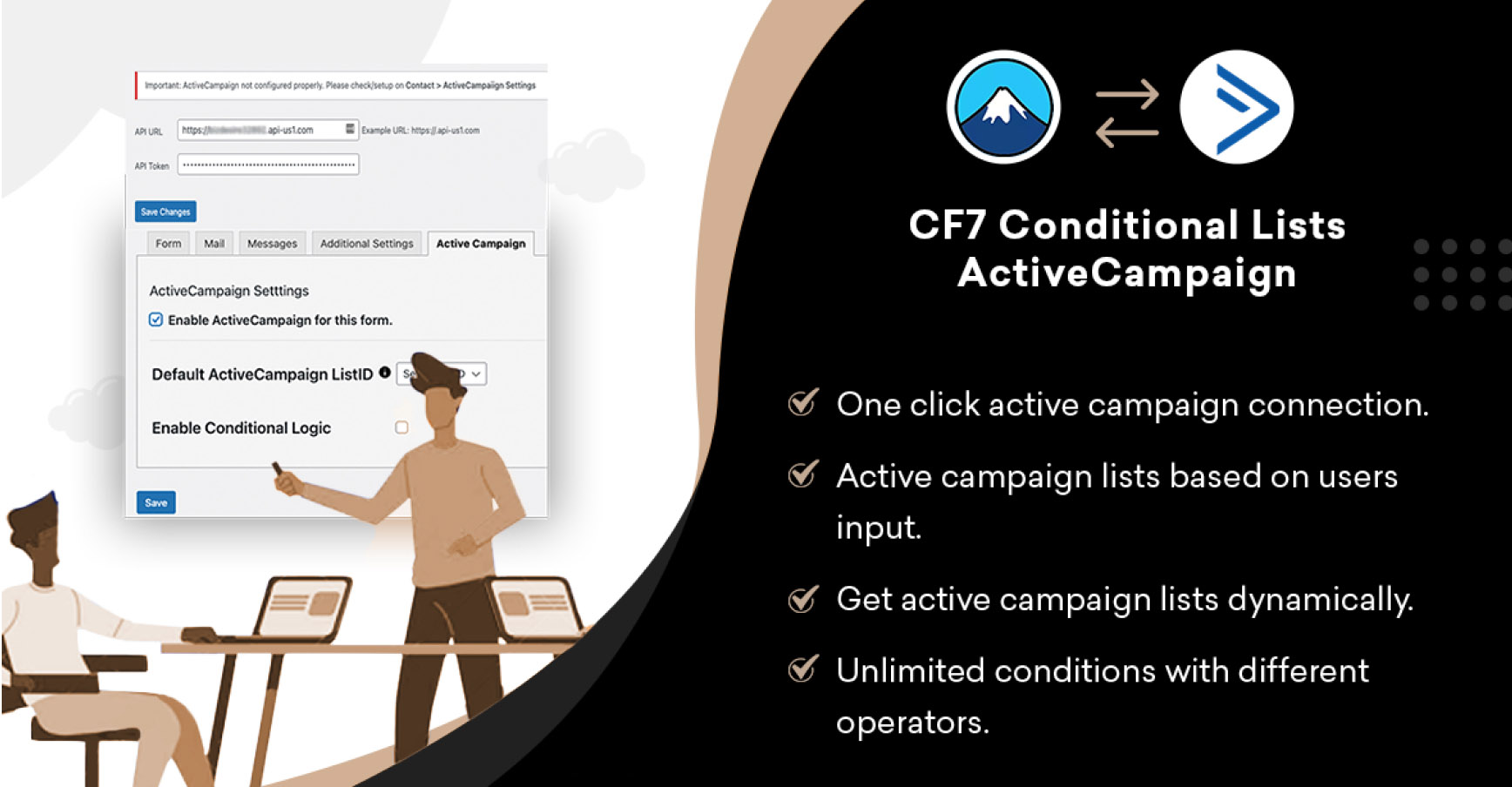
After installation, a new ActiveCampaign settings tab appears directly inside the Contact Form 7 form editor.
From this single interface, you can:
✅ Enable ActiveCampaign for a specific form
✅ Select a default ActiveCampaign list
✅ Enable conditional logic
✅ Create rules based on form field values
✅ Assign different ActiveCampaign lists automatically
✅ Map standard and custom fields
No external dashboards. No complex setup. Everything works inside Contact Form 7.
You can define rules using multiple operators, including:
✅ Equals
✅ Contains
✅ Starts with
✅ Ends with
You can create unlimited rules and apply multiple conditions per form, allowing highly precise and flexible list segmentation.
Why opt for a basic connection when you have the opportunity to enjoy an intelligent workflow? Here is how this plugin gives you a competitive edge:
Skyrocket Your Engagement: By segmenting leads based on their specific interests at the moment of signup, you can send targeted emails that see significantly higher open rates.
Eliminate Manual Data Entry: Stop spending hours manually tagging or moving contacts. Let the plugin handle the organization so you can focus on closing deals.
Save Money on Middleware: You no longer need expensive third-party subscriptions. This plugin connects directly to ActiveCampaign, saving you hundreds of dollars per year.
Improve Deliverability: Sending relevant content to segmented lists reduces spam complaints and keeps your sender reputation high with email providers.
Instant Automation: The moment a user clicks “Submit,” they are placed in the correct ActiveCampaign automation, ensuring they get the right message at the perfect time.
We’ve built every feature to be intuitive for beginners but powerful enough for advanced marketing agencies.
Create “If/Then” rules for every field in your form. You can route leads to different lists based on dropdown selections, radio buttons, checkboxes, or specific text inputs.
Build highly specific rules using a variety of operators including Equals, Contains, and Starts with/Ends with. This allows for pinpoint accuracy in how you categorize your incoming data.
Don’t just capture names and emails. Map every piece of data—including custom fields like “Project Deadline,” “Company Size,” or “Interest Level”—directly into your ActiveCampaign contact profiles.
Forget about digging through ActiveCampaign to find List IDs. Our plugin dynamically fetches all your lists directly from your account. Just select the one you want from a simple dropdown menu.
There are no limits on your growth. Create unlimited rules per form and apply conditions to unlimited forms across your entire website.
See how the Pro plugin transforms different business scenarios into automated success stories:
The Targeted Consultant: A visitor selects “Web Design” from your services dropdown. The plugin recognizes this and automatically adds them to your “Design Leads” list, triggering a specific portfolio email.
The High-Value Filter: A lead fills out a quote form and selects a budget of “$5,000+.” The plugin instantly tags them as a “VIP Lead” and moves them into a high-priority sales automation.
The Smart Support Desk: A user checks a box saying “I am an existing customer needing help.” The plugin routes them to a “Support” list instead of your “Marketing” list, ensuring they don’t get sales emails while they have a problem.
The Location Specialist: You have different sales teams for different regions. Using the “Contains” operator, the plugin looks at the user’s address and assigns them to the “East Coast” or “West Coast” ActiveCampaign list automatically.
Marketing Agencies: Manage multiple client segments with zero manual effort.
E-commerce Stores: Segment leads by product interest or shopping intent.
SaaS & Tech Companies: Route trial signups and demo requests to the right sales pipelines.
Lead Generation Sites: Ensure every lead is qualified and categorized instantly.
Buy Contact Form 7 × ActiveCampaign (Pro) and turn every form submission into a perfectly segmented ActiveCampaign contact—automatically.






Add a review